Manuale utente
Barra laterale degli strumenti
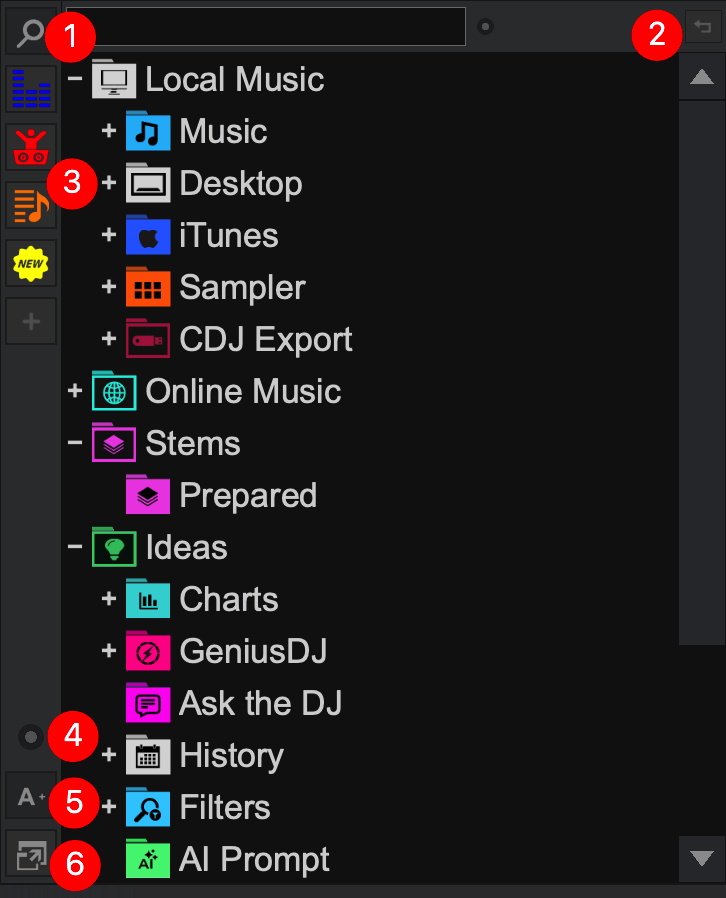 The Side Toolbar on the left vertical side of the Browser offers global folder operations and Browser features to quickly make changes and add functionality without interrupting the DJ's work flow.
 - FOLDER SEARCH. Quickly search for folders in the side toolbar. Right-clicking the search icon will return to the previous folder.
Search Folder Options are available by clicking on the dot to the right of the search bar. Local Music, My Lists, and Other can be checked and unchecked to make searching more customizable. - PREVIOUS FOLDER. Returns to the last folder used.
This button is not shown by default. Go to Settings Options and set browserPreviousFoldersButton to YES. - SHORTCUT BUTTONS. Displays shortcuts for quick folder access. Shortcuts are created by dragging and dropping a folder onto the (empty) button or clicking on it when a folder is highlighted in the Folder List.
Right-clicking a button provides the ability to change the icon and color or to remove the shortcut completely. - BROWSER OPTIONS. Displays a menu with the following options:
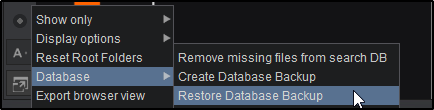
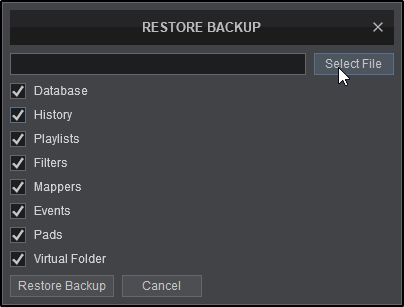
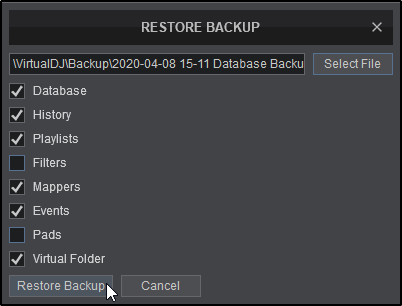
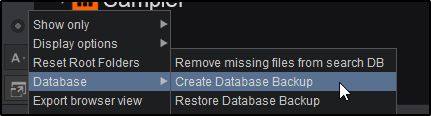
Show Only Shows or hides Music, Video or Karaoke files. Display Options Display List as Choose between the List View (default) and Grid View with large icons (for Touchscreens) Padding Provides the ability to increase/decrease the spacing (padding) between browser lines. Choose from None, Small, Medium or Big. Font Size Choose between Small, Medium, Big, and Extra Big fonts. Reset Root Folders Displays any folders that have been hidden. Database Remove missing files from Search DB Clean the Search Database from files that no longer exist. Create Database Backup Creates a zip file backup of the database, folders, history, mappers, pads, playlists and settings in the folder Documents/VirtualDJ/Backup on your computer. Restore Database Backup Restores database, folders, history, mappers, pads, playlists and/or settings from backups that have been created. Export browser view Exports what is currently displayed in the browser (including fields) to a .csv file (that can be opened as a spreadsheet in softwares that support it) or a .html file (for web use). - FONT RESIZER. Increase or decrease the size of the Browser font with a single button*.
*a dual button configuration for individual increase and decrease sizing can be changed in Options by changing browserFontSizeButtons to Yes - BROWSER ZOOM. Increases the size of the Browser and reduces the size of the decks.
Creating A Database Backup
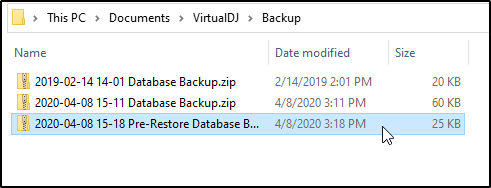
*On newer installations, VirtualDJ no longer uses the Documents folder to store data. The new home folder locations are as follows:
\AppData\Local\VirtualDJ\Backup
\Library\ApplicationSupport\VirtualDJ\Backup
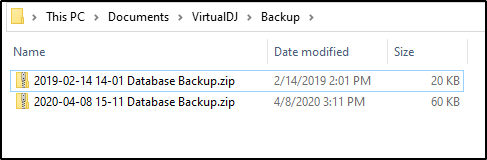
A database backup can also be created automatically over a certain period of days. To set this up go to Options automaticDatabaseBackupPeriod and input a value (number of days) into the field.
The location of the backup can also be pre-set by going to Options databaseBackupLocation and inputing the folder location.
Restoring A Database Backup